You clicked swap. The transaction sat there, spinning. By the time it failed, the token was up 40%. That's not bad luck — that's what happens when your Solana execution stack can't keep pace with a congested network. And if you're trading memecoins, new launches, or anything that moves fast, you already know the feeling. The phrase "Solana Inferno Mode fast execution" might sound like marketing, but the mechanics behind it solve a very specific, very expensive problem.
Most traders respond to failed transactions the same way: they crank up slippage, maybe bump the priority fee manually, and hope the next attempt lands. That's guesswork. It doesn't account for how validators actually prioritize transactions, how RPC endpoint quality affects your order's journey, or why the default settings that worked six months ago are now practically useless during peak activity windows.
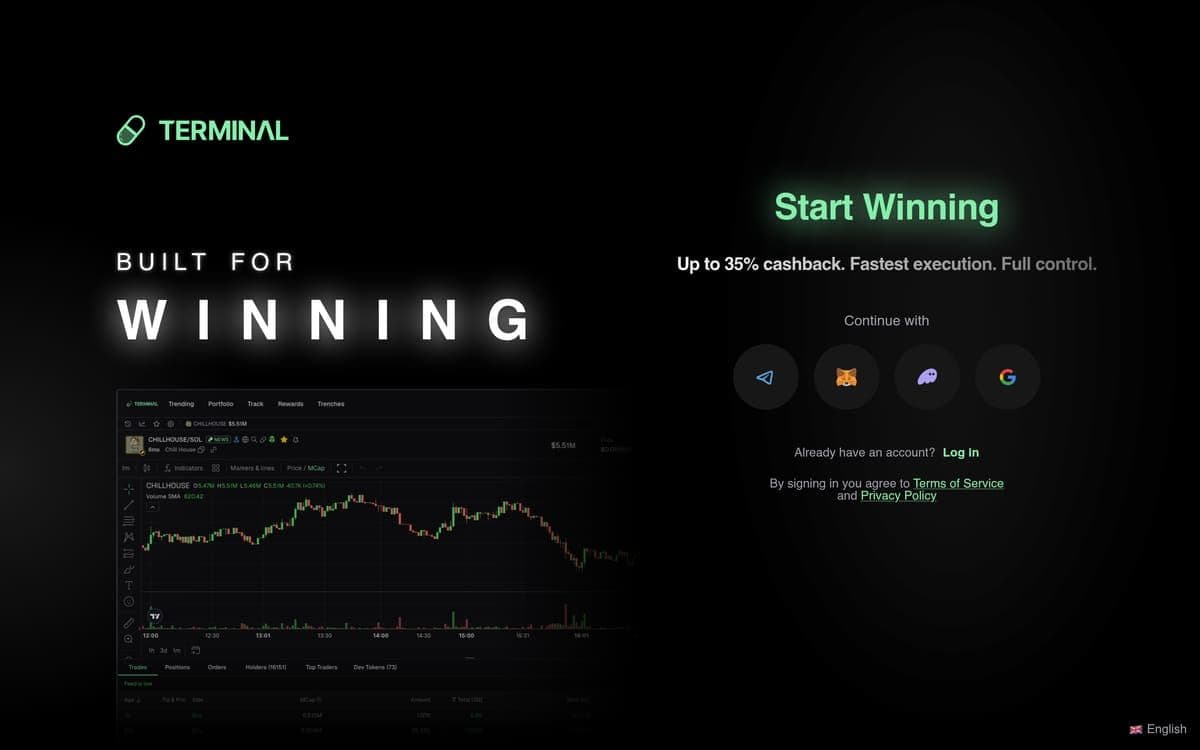
This guide breaks down exactly how Inferno Mode works inside Terminal — the browser-based trading terminal acquired by Pump.fun in October 2025. You'll learn the specific mechanics behind its execution speed, how to configure it step by step, what it actually costs in dollar terms, and whether it's worth turning on for the way you trade. No vague promises. Just the engineering, the math, and the setup.
Why Solana Execution Speed Is a Real Trading Problem Right Now
Solana processes thousands of transactions per second. That's the headline. The reality on the ground is messier. During token launches, memecoin surges, and high-volume events, block space becomes contested. Validators can only include so many transactions per block, and when demand spikes, your standard-settings swap gets pushed to the back of the line — or dropped entirely.
A dropped transaction during a volatile move isn't just an inconvenience. Say you're trying to enter a position at $0.003 on a token that's running. Your transaction fails. By the time you resubmit manually, the price is $0.0039. On a $2,000 position, that 30% price difference means you either enter at a worse price or miss the trade altogether. The cost of a failed transaction isn't the $0.00025 base fee you lost. It's the $600 in unrealized gain that evaporated while your order sat in limbo.
Default RPC endpoints — the standard connection points your wallet uses to submit transactions to the network — were fine when Solana traffic was lighter. They're not fine now. Terminal's post-acquisition market share on Solana surged from 4.3% to over 8–10%, reaching the #2 position behind Axiom. More traders, more volume, more competition for every block. If your execution setup hasn't changed, your results have — they've gotten worse.
Here's the core issue: validators prioritize transactions based on the priority fee attached. No fee, or a fee below what others are bidding? Your transaction waits. Or fails. This creates an arms race for block space during high-activity periods, and it's exactly the problem Inferno Mode was built to address.
What Inferno Mode Actually Is — The Mechanics Behind It
Defining Inferno Mode
Inferno Mode is Terminal's high-priority execution setting for Solana. It's not a separate network. It's not a magic button that guarantees fills. What it does is route your transactions simultaneously through multiple top-tier builders, resulting in executions hundreds of milliseconds faster than standard routing. It significantly increases success rates and reduces time to block inclusion. Think of it as Terminal's equivalent of a turbo execution layer — it attacks the speed problem from multiple angles at once.
Terminal's baseline execution speed on Solana sits at approximately 300 milliseconds. Inferno Mode pushes beyond that by parallelizing the transaction submission process across multiple builders rather than relying on a single path.
The Priority Fee Engine
When you enable Inferno Mode, your transactions include an adjustable priority fee that determines where your order sits in the validator's queue. Terminal gives you control here: the default priority fee starts at 0.001 SOL base Prio, with an optional 0.01 SOL tip for faster inclusion. These aren't arbitrary numbers — they represent what the network currently requires to land in the next block during varying congestion levels.
The key distinction: the priority fee is a Solana network fee paid to validators, not a Terminal platform fee. It's the bid you place for block space.
Routing and RPC Layer
RPC endpoint quality matters as much as fee level. A high priority fee submitted through a slow or congested RPC endpoint still arrives late. Inferno Mode routes through multiple top-tier builders simultaneously — this means your transaction doesn't rely on a single builder's connection to a validator. If one path is congested, another lands it. This parallel routing is the core mechanical advantage.
Transaction Retry Logic
Terminal includes Auto-Retry as a free, built-in feature. Orders continue attempting execution automatically as long as their conditions remain valid. You don't need to manually resubmit during congestion. Combined with Inferno Mode's multi-builder routing, this means your transaction keeps pushing until it lands or conditions change — not sitting dead after one failed attempt.
A Common Mistake and Its Fix
Mistake: Traders enable Inferno Mode but leave the priority fee at the minimum 0.001 SOL during a major token launch, then wonder why transactions still fail.
Fix: During high-congestion events, bump the tip to 0.01 SOL or higher. The base priority fee handles normal traffic. Peak activity demands the additional tip to compete for block space. Check the network conditions — if you're seeing widespread failed transactions on Solscan, it's time to increase the tip.
How to Enable and Configure Inferno Mode — Step by Step
1. Open Terminal and navigate to Settings. Go to trade.padre.gg in your browser. The interface works as a Progressive Web App, so it runs on desktop and mobile. Look for the settings gear icon — it's accessible from the main trading interface. Click it to open the configuration panel. [Screenshot: main UI with settings icon highlighted]
2. Locate the Execution Mode panel. Inside Settings, find the execution or transaction settings section. This is where Terminal houses all network-level configuration: execution mode, priority fees, slippage, and compute settings. Inferno Mode will appear as a distinct toggle or option within this panel. If you're on mobile via the PWA, the layout is the same — scroll down if needed.
3. Enable Inferno Mode. Toggle Inferno Mode on. You may see a brief note explaining that this mode routes through multiple top-tier builders simultaneously for faster execution. Understand what you're activating: faster routing, higher potential priority fees, and parallel builder submission. This is where your execution shifts from standard to aggressive.
4. Set your priority fee level. Terminal lets you adjust the priority fee directly. The base priority fee defaults to 0.001 SOL, with a tip option of 0.01 SOL for faster inclusion during congestion. For standard trading conditions, the base fee is sufficient. During token launches or visible network congestion, add the 0.01 SOL tip. For larger positions ($2,000+) where a missed fill costs real money, the tip pays for itself many times over. Adjust based on what you're trading and when.
5. Configure slippage tolerance to match. Inferno Mode gets your transaction to the front of the queue faster — but if the price moves beyond your slippage tolerance during that window, the trade still fails. Terminal's default slippage is 3%, which works for most memecoin pairs. For liquid, large-cap tokens, you can tighten this to 1–2%. For volatile new launches, consider 5% or higher. A fast execution engine paired with too-tight slippage is like buying a fast car and leaving the parking brake on.
6. Review compute unit settings if exposed. Compute units are Solana's way of measuring the processing resources your transaction requires. Setting this too low means your transaction gets rejected because it can't complete its instructions. Setting it too high means you overpay. Terminal handles this intelligently, but if you see compute unit options in settings, leave them at the recommended default unless you have a specific reason to adjust.
7. Run a test transaction. Before trading real size, execute a small swap — something low-stakes, like $5–$10 in a liquid pair. Watch the confirmation speed. A successful Inferno Mode execution should confirm noticeably faster than standard submissions. You're looking for confirmation in or near that approximately 300-millisecond baseline, potentially faster with the multi-builder routing active.
8. Verify on Solscan. Copy the transaction signature from your confirmation and paste it into Solscan. Check two things: the priority fee attached (it should reflect your configured amount) and the block landing time. This closes the loop. If the priority fee shows zero or the landing time seems slow, revisit your settings — something isn't configured correctly.
What Inferno Mode Costs — Fees Broken Down With a Real Example
Let's separate the costs clearly, because traders often confuse platform fees with network fees.
Terminal's platform fee is fixed: 1% on market orders and 0.5% on limit orders. Inferno Mode doesn't change these. What Inferno Mode affects is the Solana network priority fee — the amount you pay validators to prioritize your transaction.
The base priority fee is 0.001 SOL. The optional tip for faster inclusion is 0.01 SOL. At current SOL prices, these are small in absolute terms, but they're not zero — and they add up for high-frequency traders.
Worked Example: $1,000 Market Order During High Congestion
- Platform fee (1%): $10.00
- Base Solana transaction fee: ~$0.00025 (negligible)
- Priority fee with Inferno Mode (base + tip): 0.011 SOL — roughly $1.50–$2.50 depending on SOL price
- Total cost: approximately $11.50–$12.50
Compare this to the same trade without Inferno Mode that fails, forcing you to resubmit 10 seconds later at a 2% worse price. That 2% price slip on $1,000 is $20. The math is clear.
Worked Example: $500 Limit Order
- Platform fee (0.5%): $2.50
- Priority fee with Inferno Mode: 0.011 SOL — roughly $1.50–$2.50
- Total cost: approximately $4.00–$5.00
For very small trades — say $50 — that $1.50–$2.50 priority fee represents 3–5% of your position. That's steep. For trades above $500, the priority fee becomes a rounding error relative to the execution advantage.
The Cashback Factor
Here's where the math shifts in your favor. Terminal offers up to 35% lifetime cashback on all trading fees, paid daily in SOL directly to your wallet. That $10 platform fee on the $1,000 trade? You get up to $3.50 back. Every day. No minimum, no expiration.
Sign up via Terminal to get up to 35% lifetime cashback on every trade, paid daily in SOL — the highest cashback rate in the space, via ApexAlpha referral.
Who Gets the Most From Inferno Mode — And Who Probably Doesn't Need It
Best-Fit: Momentum Traders and Launch Snipers
If you're catching runners in the first 30 seconds, Inferno Mode is non-negotiable. A 2-second delay during a token launch means the difference between a 5x entry and a 2x entry. Terminal's Trenches Page — the real-time token discovery feed — pairs directly with Inferno Mode: you spot the launch, click buy, and the multi-builder routing pushes your transaction to the front. Traders using copy trading to mirror fast wallets also benefit massively here, because every millisecond of delay compounds when you're following someone else's execution.
Strong Fit: Active Intraday Traders
You're making 10–20 trades a day across memecoin pairs. Some of these are time-sensitive entries during momentum moves, others are exits during pullbacks. Failed transactions during exits are especially painful — you're watching unrealized gains evaporate. Inferno Mode combined with Terminal's Trailing Stop Loss and Stop Loss / Take Profit features creates a complete execution stack that handles both entries and automated exits.
Moderate Fit: Swing Traders
You trade 2–5 times a day in reasonably liquid pairs. Inferno Mode still helps — faster fills are always better — but the marginal benefit is smaller because you're typically not competing for block space on new launches. Keep it enabled as a baseline. The priority fee cost is negligible at your trade frequency.
Probably Not Worth It: Low-Frequency, Large-Cap Holders
You buy SOL, a handful of established tokens, and hold for weeks. You execute once or twice a week. Standard execution is fine for these trades. The tokens you're buying have deep liquidity, and a few extra seconds on fill time doesn't affect your entry meaningfully. The 0.01 SOL tip adds up to almost nothing at this frequency, but there's no real advantage either. Save the mental overhead.
Not Ideal: Very Small Position Sizes
If you're trading $20–$50 positions, the priority fee (0.011 SOL with the tip) represents a disproportionate percentage of your trade. Standard execution with default fees is the better choice until you're working with larger sizes.
Common Mistakes Traders Make With Inferno Mode (And Exact Fixes)
Mistake 1: Inferno Mode On, Slippage Too Tight
Why traders make it: They think faster execution means tighter slippage is safe. It's not. Even at 300ms execution, volatile memecoins can move 1–3% in that window.
Fix: Match your slippage to the asset. Terminal defaults to 3% slippage — that's a solid starting point for most memecoin pairs. For brand-new launches, go to 5%+. For liquid pairs like SOL/USDC, 1% is fine. Never run Inferno Mode at 0.3% slippage on a volatile token.
Mistake 2: Using the Base Priority Fee During a Major Launch
Why traders make it: They set 0.001 SOL as the priority fee once and forget about it. During a Pump.fun launch with thousands of concurrent transactions, that base fee isn't competitive.
Fix: Bump to the 0.01 SOL tip for high-congestion events. Yes, it costs more. A failed transaction during a launch that runs 10x costs infinitely more. Check network activity before major launches — if the Trenches Page is lighting up, increase the tip.
Mistake 3: Not Using Auto-Retry Alongside Inferno Mode
Why traders make it: They assume Inferno Mode alone guarantees the transaction lands on the first attempt. It significantly improves success rates, but network congestion can still cause individual attempts to miss.
Fix: Confirm that Auto-Retry is enabled. It's free on Terminal. Orders continue attempting execution automatically as long as conditions remain valid. This means Inferno Mode's multi-builder routing keeps firing until your transaction lands — no manual resubmission needed.
Mistake 4: Ignoring EVA Contract Audits Before Trading New Tokens
Why traders make it: They're so focused on speed that they skip the safety check. Inferno Mode gets you into a position fast — but getting into a dangerous contract fast is worse than missing the trade.
Fix: Before executing on any new token, check the EVA Contract Audit flag. Terminal's AI-assisted contract analysis flags freezable contracts, dangerous dev privileges, and other structural risks. Fast execution without due diligence is just fast losses.
Pro tip: configure your Custom Trading Buttons and Presets with your preferred Inferno Mode settings — priority fee, slippage, and position size — so you're not adjusting on the fly during high-pressure moments. One-click execution using saved configurations eliminates fumbling when speed matters most.
Frequently Asked Questions
Does Inferno Mode guarantee my transaction will succeed?
No. Inferno Mode significantly increases success rates and reduces time to block inclusion by routing transactions simultaneously through multiple top-tier builders. But during extreme network congestion — think thousands of traders all trying to buy the same token in the same second — no execution tool can guarantee 100% success. What it does is put you meaningfully ahead of traders using standard execution. Combined with Auto-Retry, your odds of landing the trade are substantially higher.
How much faster is Inferno Mode compared to standard execution?
Terminal's baseline execution speed on Solana is approximately 300 milliseconds. Inferno Mode pushes beyond that through parallel multi-builder routing, resulting in executions hundreds of milliseconds faster than standard routing. The exact speed advantage depends on network conditions — during congestion, the gap between Inferno Mode and standard execution widens significantly because standard submissions face longer queues.
Does Inferno Mode cost more than normal trading on Terminal?
The platform fee stays the same: 1% for market orders, 0.5% for limit orders. The additional cost comes from the Solana network priority fee, which is user-adjustable. The base priority fee is 0.001 SOL, and the recommended tip for congestion is 0.01 SOL. At typical SOL prices, this ranges from roughly $0.15 to $2.50 total — minor relative to trade sizes above $200. The up to 35% lifetime cashback on platform fees further offsets total trading costs.
Does Inferno Mode work on chains other than Solana?
Inferno Mode is a Solana-specific feature. Terminal supports multi-chain execution across Solana, Ethereum, Base, and BNB Chain with consistent order management across all of them. However, the multi-builder parallel routing that defines Inferno Mode is designed specifically for Solana's architecture. MEV Protection is available on both Solana and Ethereum for protection against front-running and sandwich attacks.
Can I use Inferno Mode on mobile?
Yes. Terminal runs as a Progressive Web App — add it to your home screen on any mobile device and it works like a native app. All settings, including Inferno Mode, are accessible through the same interface. The PWA approach means no app store downloads, no version delays, and the same execution infrastructure as desktop.
The Verdict
Inferno Mode solves the single most expensive problem in Solana memecoin trading: your transaction not landing when it matters. For active traders — especially those trading launches, momentum plays, or anything time-sensitive — it's the feature that justifies using Terminal over alternatives with similar fee structures. The multi-builder parallel routing, combined with Auto-Retry, approximately 300ms base execution, and adjustable priority fees, creates an execution stack that's genuinely built for congested conditions. If you're losing money to failed transactions, this is the fix.
Memecoin trading carries significant risk. Only trade with funds you can afford to lose. Always do your own research before entering any position.