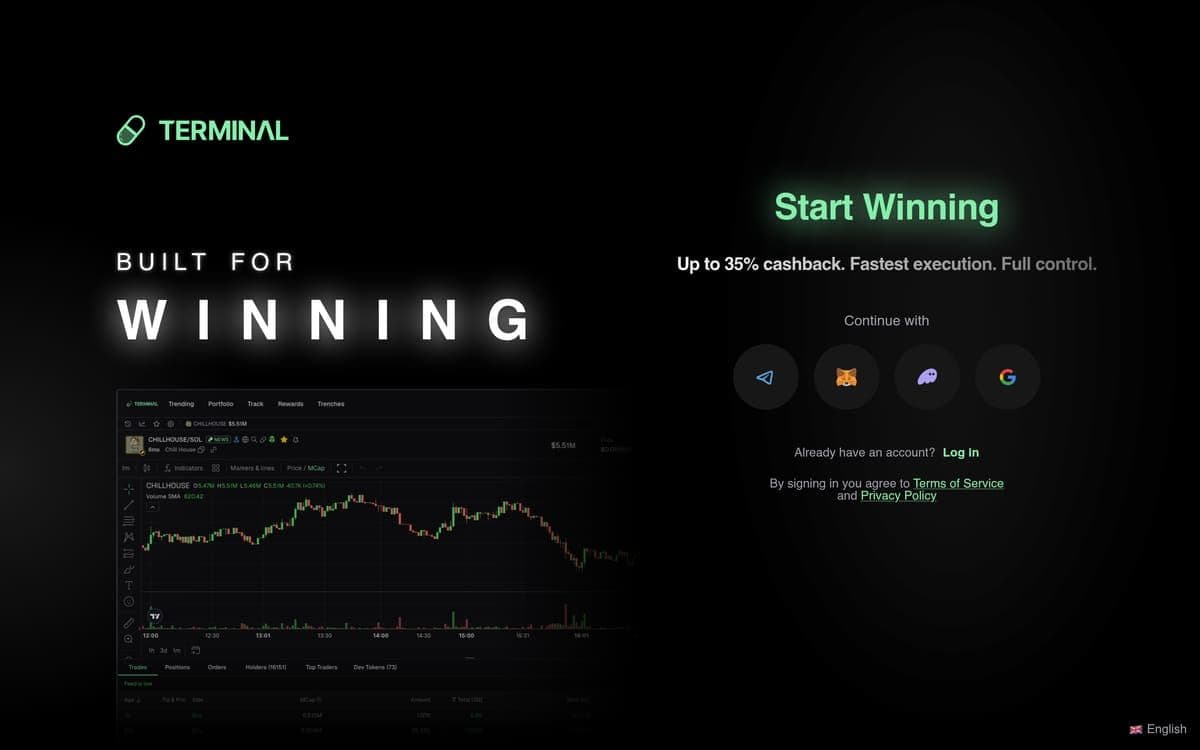
Catching a memecoin at launch means nothing if your terminal fumbles the execution. That's the reality most Solana traders wrestle with daily — and it's exactly the problem this Terminal Padre review sets out to address. You're duct-taping together a sniper bot, a portfolio tracker, a copy-trade dashboard, and maybe a Telegram alert channel, paying separate fees on each one and losing milliseconds at every handoff. When a pump.fun token rips 400% in ninety seconds, those milliseconds are the difference between a screenshot-worthy win and a bag you'll hold to zero.
Terminal — formerly Padre.gg before Pump.fun acquired it on October 24, 2025 — was built to collapse that entire tool stack into a single browser tab. One interface for sniping launches, mirroring wallets, setting trailing stops, and auditing contracts. The acquisition didn't just change the name. It changed the routing, the liquidity access, and the competitive position of the platform in ways that most surface-level reviews haven't caught up with yet.
This guide breaks down exactly how Terminal works in 2026, what you'll actually pay per trade, how to set it up from zero, and — critically — who should use it and who shouldn't. Every fee, feature name, and speed claim here comes from verified platform data. No guesses, no estimates, no recycled marketing copy.
Why Pump.fun Buying Padre Changed the Solana Trading Landscape
On October 24, 2025, Pump.fun acquired Padre.gg and rebranded it as Terminal. That date matters because it marks the first time a major launchpad bought a trading terminal outright. Every other tool in the space — Bullx, Photon, Trojan — connects to pump.fun as a third-party client. Terminal is now a first-party product with a direct pipeline into the launchpad's token creation flow.
The results showed up fast. Terminal's market share on Solana surged from 4.3% to over 8–10% post-acquisition, pushing it to the #2 position behind Axiom. Lifetime volume crossed over $1 billion with $10 million in fees generated. Those aren't vanity numbers. They reflect real trader migration driven by a concrete advantage: when you're trading pump.fun launches through the platform that owns pump.fun, you're cutting out a layer of latency and data relay that third-party tools can't eliminate.
For existing Padre users, the transition preserved the core experience. The domain remains trade.padre.gg. Wallets don't need migration — the terminal is non-custodial, so your keys and connected wallets carried over. The interface stayed familiar. What changed is under the hood: enhanced liquidity from Pump.fun's backing, tighter integration with launch data, and continued development backed by launchpad revenue rather than terminal fees alone.
The competitive landscape now looks like this. Axiom holds the #1 spot with the largest community and third-party ecosystem. Photon competes on speed and simplicity but requires separate interfaces per chain. Bullx offers broad DEX aggregation across Solana but lacks a launchpad relationship. Trojan runs primarily through Telegram bots, which appeals to a specific workflow but alienates traders who want a visual GUI. Terminal's sharp differentiator is singular: it's the only major memecoin trading terminal owned by a launchpad. That pipeline advantage is either a reason to switch or irrelevant to your strategy — and this review will help you figure out which.
How Terminal Actually Works — The Mechanics Under the Hood
Order Routing and Execution Speed
Terminal executes trades on Solana at approximately 300 milliseconds. That's the baseline. When congestion spikes — a trending launch pulling thousands of simultaneous buys — the platform's signature feature kicks in: Inferno Mode. This routes your transaction simultaneously through multiple top-tier builders, increasing the probability of block inclusion and pushing execution hundreds of milliseconds faster than standard single-builder routing. Think of it as Terminal's equivalent of a Turbo Mode, except it doesn't just pick the fastest path — it races multiple paths at once and uses whichever lands first.
The terminal connects to Pump.fun's liquidity pools directly and also aggregates through Jupiter for broader Solana DEX routing. Priority fees are user-adjustable. You set a base priority (e.g., 0.001 SOL) and a Jito-style tip (e.g., 0.01 SOL) depending on how aggressively you want to compete for block space. Slippage is user-configurable too, defaulting to 3% but adjustable higher for volatile launches.
The Three Core Modules
Trenches Page is Terminal's real-time token discovery feed. It surfaces new pump.fun launches as they happen, filterable by minimum market cap, whether the token has original socials, original avatar, LP status, and more. You can execute a one-click buy directly from this feed without navigating to a separate trading screen. This is where snipers live.
Copy Trading / Wallet Tracking lets you monitor specific wallet addresses, view their trading activity with built-in analytics, and mirror their trades automatically. You configure the copy amount — either a percentage of their position size or a fixed SOL amount — and Terminal executes the same buy when the tracked wallet moves. This isn't a passive alert; it's active trade mirroring.
Portfolio Dashboard tracks your PnL across all open and closed positions. Unrealised gains by token, total portfolio value, and historical performance are visible in one view. Paired with Stop Loss / Take Profit and the Trailing Stop Loss — which dynamically adjusts your stop price upward as the token's price moves in your favour — you can manage exits without babysitting every chart.
Wallet System and Security
Terminal is non-custodial. You connect your own wallet — Phantom, Solflare, or other compatible wallets — and control your keys. You can also import or create wallets directly within the terminal and manage multiple addresses from a single interface through Multi-Wallet Support. No KYC is required for core trading functions.
MEV Protection is available on both Solana and Ethereum, shielding your market and limit orders from front-running and sandwich attacks. This is a native toggle, not a third-party integration.
Alerts and Automation
EVA Contract Audits provide AI-assisted contract analysis that flags structural risks — freezable contracts, dangerous dev privileges, and similar red flags — before you execute a trade. Contract-Level Alerts surface these warnings automatically when you're about to interact with a potentially dangerous token. Auto-Retry is free and keeps your orders attempting execution automatically as long as conditions remain valid, so you don't need to manually resubmit during network congestion.
Common mistake to watch for here: traders often leave slippage at the 3% default when sniping a brand-new pump.fun launch. At that setting, high-volatility launches will reject your transaction repeatedly because the price moves faster than your tolerance allows. The fix is simple — increase slippage to 15–25% for new launches and rely on your max buy amount to cap downside exposure rather than the slippage percentage.
Step-by-Step — Setting Up Terminal for Your First Solana Trade
1. Open the Terminal web app. Navigate to trade.padre.gg in your browser. The domain hasn't changed post-acquisition — there's no separate .fun redirect you need to find. Terminal runs as a Progressive Web App (PWA), so if you're on mobile, tap your browser's "Add to Home Screen" option and it'll behave like a native app. Bookmark this now so you're not fumbling for the URL during a live launch.
2. Connect your Solana wallet. Click the wallet connection button in the top-right corner. Terminal supports Phantom, Solflare, and other compatible Solana wallets. You'll see the option to connect in full-access mode, which allows Terminal to submit transactions on your behalf, or you can import an existing wallet directly within the terminal. The platform is non-custodial — your keys stay with you. No KYC is required for core trading functions.
3. Fund your wallet with SOL. You need SOL in your connected wallet to cover both trades and network fees. A minimum buffer of 0.1 SOL for gas is a good starting point — Solana base transaction fees are tiny, but priority fees and tips add up across multiple snipes. Send SOL from your exchange or another wallet to the address shown in Terminal's wallet panel. You can also fund with USDC or other supported assets if your strategy requires it.
4. Configure your sniper settings using Custom Trading Buttons and Presets. Navigate to the settings panel and locate "Custom Trading Buttons and Presets." Here you define your default position size (e.g., 0.5 SOL per snipe), slippage tolerance, and priority fee tip. Slippage controls how far the execution price can deviate from the quoted price before the transaction is rejected — set it to 15–25% for new pump.fun launches where price moves are extreme. The priority fee (e.g., 0.01 SOL tip) determines how aggressively your transaction competes for block inclusion. Higher tip = faster inclusion = higher cost. Save these as a preset so you can one-click execute from the Trenches Page without reconfiguring every time.
⚠️ Common error: Setting the priority fee too low (e.g., 0.001 SOL) during a trending launch will result in repeated failed transactions. Each failure still costs you gas. Start with 0.01 SOL tip during peak activity and dial down only after you've confirmed the launch isn't heavily contested.
5. Set up your first copy trade. Open the Copy Trading / Wallet Tracking panel. Paste the Solana wallet address you want to mirror — you can find profitable wallets through Terminal's built-in wallet analytics or from external sources like Solscan leaderboards. Configure your copy amount as either a fixed SOL value (e.g., 0.5 SOL per trade) or a percentage of the tracked wallet's position size. Terminal will execute the same buy automatically when the tracked wallet enters a new position. Review the wallet's recent history in the analytics view before committing — not every profitable wallet trades at a frequency or risk level that matches yours.
6. Activate MEV Protection. In Terminal's trade settings, find the MEV Protection toggle and switch it on. This protects your market and limit orders from front-running and sandwich attacks on both Solana and Ethereum. The trade-off: MEV-protected transactions may route through different builder pathways, which can add slight latency compared to unprotected orders. For most traders, the protection is worth it. If you're sniping a launch where every millisecond counts and you're comfortable with the MEV risk, you might disable it temporarily — but re-enable it for everything else.
7. Set a sell trigger for your copied position. Don't just mirror a buy and hope. Immediately after your copy trade fills, navigate to the position in your portfolio dashboard and configure a Stop Loss / Take Profit or a Trailing Stop Loss. The trailing stop dynamically adjusts your stop price upward as the token's price rises, locking in gains without closing the position prematurely. Set your take-profit target and your maximum acceptable loss before the adrenaline of a pumping chart makes the decision for you.
8. Run a test transaction with a small amount. Before committing real size, execute a test buy of 0.01 SOL on any liquid token through the Trenches Page. Verify the trade appears in your portfolio dashboard with the correct entry price and position size. Check that your preset settings (slippage, tip, position size) applied correctly. Confirm the transaction on Solscan using the tx hash from your activity log. Only after this confirmation should you move to full-size trades. This three-minute test can save you from a misconfigured sniper burning through SOL on failed transactions.
Fees and Real Cost Breakdown — What You Actually Pay Per Trade
Terminal charges 1% on market orders and 0.5% on limit orders. Those are the platform fees. They sit on top of two other costs every Solana trader pays regardless of which terminal they use: the base Solana network fee (fractions of a cent) and the priority fee or Jito tip you set yourself.
Here's how the full cost stack breaks down:
| Fee Type | Amount | Who Controls It | |---|---|---| | Terminal platform fee (market order) | 1% of trade value | Terminal (fixed) | | Terminal platform fee (limit order) | 0.5% of trade value | Terminal (fixed) | | Solana base network fee | ~0.000005 SOL | Solana network (fixed) | | Priority fee / Jito tip | 0.001–0.01+ SOL | You (variable) | | Slippage (price impact) | User-configured (e.g., 3–25%) | You + market conditions |
Worked Example: $500 Snipe at SOL = $150
You spot a new pump.fun launch on the Trenches Page and fire a $500 market buy using Inferno Mode with a 0.01 SOL priority tip and 15% slippage tolerance.
- Platform fee (1% market order): $500 × 0.01 = $5.00
- Priority fee: 0.01 SOL × $150 = $1.50
- Solana base fee: ~$0.001 (negligible)
- Total cost: approximately $6.50 before slippage
Now apply the 35% lifetime cashback via the referral programme. That $5.00 platform fee returns $1.75 to your wallet, paid daily in SOL. Your effective platform fee drops to $3.25, making the total cost roughly $4.75.
For comparison, a competing terminal charging 0.5% on market orders would cost $2.50 in platform fees on the same $500 trade — but without the cashback mechanism, that $2.50 is final. At Terminal's effective rate after cashback, you're paying $3.25 in platform fees. The gap narrows significantly, and on limit orders — where Terminal charges just 0.5% — the math flips in Terminal's favour once cashback applies.
Scale It Up: $1,000 Trade
On a $1,000 limit order at 0.5% fee: that's $5.00 in platform fees. With 35% cashback, you receive $1.75 back, netting $3.25 in effective platform cost. Over 50 trades per week at this size, that's $87.50 back in your wallet monthly — paid in SOL, not points.
The Hidden Cost: Failed Transactions
Here's what most traders miss. Failed sniper attempts still cost you gas on Solana. If your slippage is set too tight or your priority fee is too low, you might fail five times before landing one. At 0.01 SOL tip per attempt, five failures burn 0.05 SOL ($7.50 at $150/SOL) — more than the platform fee on a successful $500 trade. The fix: use appropriate slippage for launch conditions (15–25% for new tokens) and set a priority fee of at least 0.01 SOL during trending launches. Auto-Retry handles resubmission automatically, but each attempt still costs the tip.
Sign up via Terminal to get up to 35% lifetime cashback on every trade, paid daily in SOL — the highest cashback rate in the space, via the ApexAlpha referral.
Who Should Use Terminal — and Who Should Walk Away
Best Fit: Active Pump.fun Snipers
If you're making 20+ trades per week and most of them target pump.fun launches, Terminal is built for your exact workflow. The Trenches Page gives you a live discovery feed with one-click buying. Inferno Mode routes through multiple builders simultaneously for sub-300ms execution. And the first-party pipeline to pump.fun means you're getting launch data from the source, not through an intermediary. The 35% cashback on fees compounds meaningfully at this trade volume — we're talking hundreds of dollars in SOL returned monthly.
Strong Fit: Copy Traders Who Want a Visual Interface
Trojan runs through Telegram. That works for some traders, but if you want a browser-based GUI where you can see wallet analytics, set trailing stops on copied positions, and manage everything in one visual dashboard, Terminal's Copy Trading / Wallet Tracking module is a cleaner experience. You don't need to configure a Telegram bot or manage API keys. Connect, paste the wallet address, set your parameters, and the mirroring runs natively. The PWA mobile support means you can manage copy trades from your phone without a dedicated app download.
Solid Fit: Intermediate Traders Graduating from Manual Phantom Trading
You've been buying tokens directly through Phantom's swap interface, and you're tired of slow fills, no sniper capability, and zero automation. Terminal gives you limit orders at 0.5% fees, stop loss and take profit automation, EVA Contract Audits that flag dangerous token contracts before you trade, and preset buttons that let you execute in one click. The learning curve is a browser tab, not a bot framework.
Who Should Look Elsewhere
Traders focused primarily on Raydium or Orca liquidity pools may find better aggregation through Bullx or Photon, which have deeper routing across the broader Solana DEX landscape. Terminal's edge is sharpest on pump.fun-native tokens. If your strategy centres on established Solana tokens rather than new launches, that pipeline advantage doesn't apply to you.
Traders who need advanced charting should check whether Terminal's integrated chart meets their needs. If you rely on TradingView-level technical analysis with dozens of indicators, you may need to keep a charting tool open alongside whatever terminal you use.
Multi-chain traders who primarily operate on Ethereum or BNB Chain should note that while Terminal supports Solana, Ethereum, Base, and BNB Chain, its optimisation and community focus is Solana-first. If Ethereum is your primary chain, a dedicated Ethereum terminal will likely offer a deeper feature set for that chain's specific mechanics.
Common Mistakes Traders Make on Terminal — and Exact Fixes
Mistake 1: Leaving Slippage at 3% for New Launches
Terminal defaults slippage to 3%. That's fine for buying established tokens with deep liquidity. It's not fine for sniping a brand-new pump.fun token where the price can move 50% in seconds. At 3% slippage, your transaction will fail repeatedly because the price moves beyond your tolerance before your order hits the chain. Each failure costs you the priority fee.
Fix: Set slippage to 15–25% for new pump.fun launches. Control your risk through your max buy amount, not through slippage. A 0.5 SOL buy with 20% slippage exposes you to 0.1 SOL of slippage cost — that's your real risk cap.
Mistake 2: Using a Low Priority Fee During Trending Launches
A 0.001 SOL priority fee works fine during quiet periods. During a trending launch with thousands of simultaneous buyers competing for block space, that fee puts you at the back of the queue. Your transaction either fails or lands so late that the price has already moved past your entry.
Fix: Set a tip of at least 0.01 SOL during high-activity launches. The difference between 0.001 SOL and 0.01 SOL is $1.35 at $150/SOL — a trivial cost relative to the position size you're trying to enter. Monitor Solana block congestion and scale your tip accordingly. Inferno Mode helps by routing through multiple builders, but it still needs a competitive tip to work with.
Mistake 3: Copy Trading Without Setting Exit Rules
You find a profitable wallet, activate copy trading, and mirror every buy. The tracked wallet makes money. You don't — because you never set a take profit or stop loss on your copied positions. The wallet you're mirroring might be running 50 trades a day and exiting manually within seconds of entry. You're not watching the screen at that speed.
Fix: Every time a copy trade fills, immediately set a Trailing Stop Loss or a fixed Stop Loss / Take Profit. The trailing stop is especially useful here because it lets you capture upside if the token runs while automatically closing your position if it reverses. Never leave a copied position open without an automated exit rule.
Mistake 4: Ignoring EVA Contract Audit Warnings
Terminal's EVA Contract Audits and Contract-Level Alerts flag dangerous token contracts — freezable tokens, dev wallets with disproportionate allocations, revocable permissions. Some traders dismiss these warnings because they're "just trying to catch the pump" before the rug. Statistically, most of those traders don't catch the pump. They are the liquidity for someone else's exit.
Fix: Treat EVA warnings as non-negotiable filters, not suggestions. If a contract is flagged as freezable or the dev wallet holds a suspicious percentage of supply, skip the trade. There will be another launch in five minutes. There won't be another $500 if this one rugs.
Pro tip: Save two separate Custom Trading Presets — one for launch sniping (high slippage, high tip, small position size) and one for established token trading (low slippage, low tip, larger position size). Switching between these presets takes one click and prevents you from accidentally running launch-mode settings on a stable trade or vice versa.
Frequently Asked Questions
Is Terminal the same as Padre.gg?
Yes. Terminal was originally launched as Padre.gg and was acquired by Pump.fun on October 24, 2025. The platform rebranded to Terminal but the domain remains trade.padre.gg. Your existing wallet connections and settings carried over — no migration was needed. The core interface is the same, with ongoing improvements from Pump.fun's backing.
What chains does Terminal support besides Solana?
Terminal supports Solana, Ethereum, Base, and BNB Chain from a single interface through its Multi-Chain Execution feature. You don't need to switch platforms or use separate interfaces for different chains. That said, Solana is the primary chain where Terminal's features — especially Inferno Mode and the Trenches Page — are most optimised.
How fast is Terminal compared to Photon or Bullx?
Terminal executes at approximately 300 milliseconds on Solana, which is on par with Photon. During congestion, Inferno Mode pushes execution faster by routing through multiple top-tier builders simultaneously, which can give it an edge when block space is contested. Direct speed comparisons with Bullx depend on the specific trade and network conditions, but Terminal's builder routing is architecturally designed for peak-congestion performance.
Is Terminal custodial — do they hold my funds?
No. Terminal is non-custodial. You connect your own wallet (Phantom, Solflare, or other compatible wallets), and you control your private keys at all times. You can also import or create wallets within the terminal, but the keys remain yours. No KYC is required for core trading functions.
How does the 35% cashback actually work?
When you sign up through a referral link, you receive up to 35% lifetime cashback on all trading fees you pay — both market orders and limit orders, across all supported chains. The cashback is calculated instantly and paid daily in SOL directly to your wallet. There's no minimum threshold, no expiration, and it applies to every trade for the lifetime of your account. This is the highest referral cashback rate of any terminal in the space.
The Verdict
Terminal is the strongest option for traders whose primary activity is sniping and trading pump.fun launches. The first-party pipeline advantage from the Pump.fun acquisition, combined with Inferno Mode's multi-builder routing at ~300ms execution, the Trenches Page for live discovery, and a 35% fee cashback that actually puts SOL back in your wallet daily — it's a compelling package that no third-party tool can fully replicate. The 1% market order fee is on the higher end, but limit orders at 0.5% and the cashback mechanism close that gap for active traders. If pump.fun launches are your bread and butter, Terminal should be your primary interface.
Memecoin trading carries significant risk. Only trade with funds you can afford to lose. Always do your own research before entering any position.