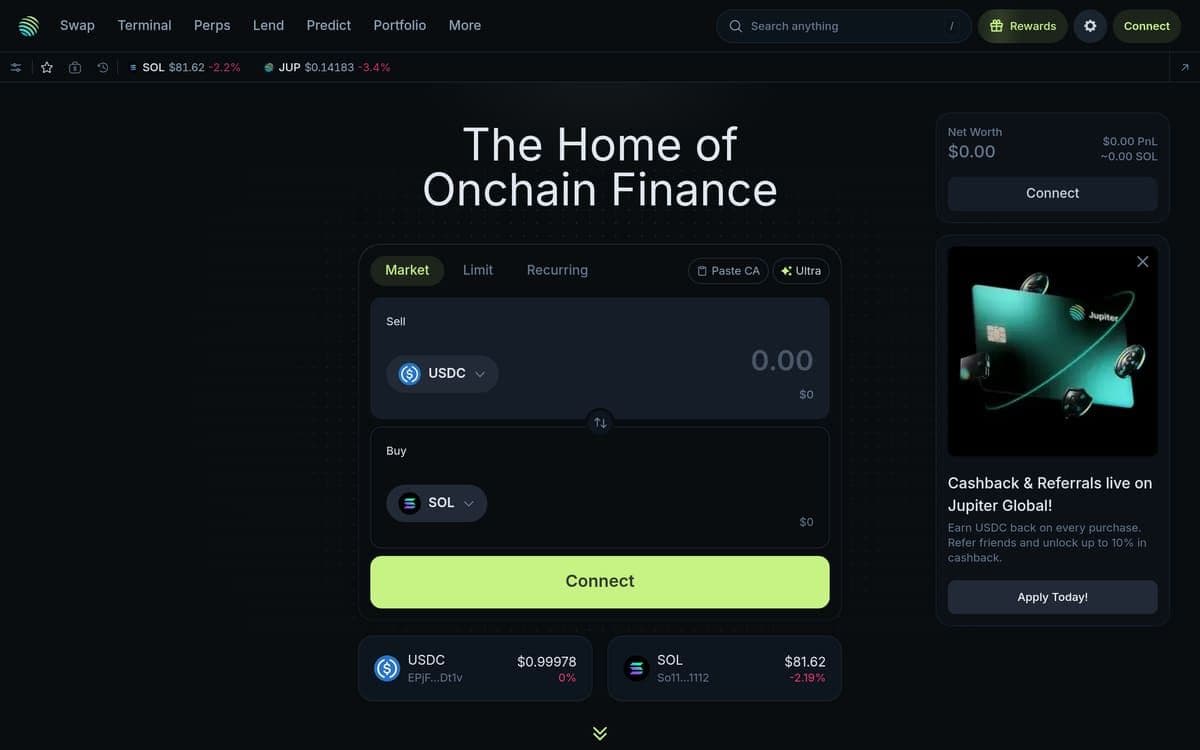
Every market order you fire on a DEX hands MEV bots a free tax. On Solana, sandwich attacks and frontrunning happen in milliseconds — and most traders absorb the cost without ever seeing it on a receipt. Jupiter limit orders exist specifically to eliminate that hidden bleed, but the majority of Solana traders still default to market swaps without knowing this MEV-resistant execution path is sitting one tab away.
The problem isn't awareness alone. It's that limit orders on decentralized exchanges have historically been unreliable, slow, or locked behind bridges to other chains. Solana's sub-second finality changes that equation entirely. Jupiter — controlling approximately 95% of Solana's DEX aggregator market share and handling over 50% of all Solana DEX volume — built its limit order system natively on-chain, with deterministic settlement and a flat 0.2% taker fee only on successful fills.
This guide breaks down exactly how Jupiter limit orders work under the hood, what they actually cost in real dollars, and when the 0.2% fee is worth paying versus when you're better off with a standard swap. If you're trading positions above a few hundred dollars on Solana, the math here will change how you execute.
Why Limit Orders on DEXs Are Broken — and Why It Matters Right Now
MEV extraction on Solana is not theoretical. When you submit a market swap, your transaction broadcasts a live quote — the exact price you're willing to accept, including your slippage tolerance. Bots see that quote before your transaction settles, sandwich it with a buy order before yours and a sell order after, and pocket the difference. On a $5,000 market swap with 1% slippage tolerance, that's up to $50 extracted from your trade that you'll never see itemised anywhere.
Solana's speed makes this worse, not better. Transactions confirm in roughly 400 milliseconds. That's fast enough for you — but it's also fast enough for sophisticated MEV bots running co-located infrastructure to exploit every exposed quote in the mempool. The same speed that makes Solana great for trading also makes it a prime hunting ground for extraction.
Here's the gap most traders miss: Jupiter's default "Swap" tab uses market execution. It routes through Raydium, Orca, Meteora, Phoenix, and more via the Iris Meta-Aggregator Router to find the best price — but that price is still a live quote, still exposed to MEV. The Limit Order tab is a fundamentally different execution path. Your order sits on-chain at a pre-committed price. There's no live quote to sandwich. Bots have no surface to exploit because the fill price is already determined.
In a volatile market, the difference between your intended entry and an MEV-adjusted fill can turn a winning trade into a losing one. If you're entering a $3,000 SOL position and MEV shaves 0.5% off your execution, that's $15 gone. Jupiter's limit order fee is 0.2% — $6 on the same trade. The arithmetic is straightforward: above a certain trade size, the limit order is cheaper than the hidden MEV tax.
How Jupiter Limit Orders Actually Work Under the Hood
On-Chain Orders, Not Off-Chain Promises
Jupiter limit orders are stored as on-chain accounts on Solana. This is a critical distinction. Off-chain order books — the kind you'd find on a centralised exchange — require trusting a server to match and settle your trade. Jupiter's system creates a real Solana account for each order. Your funds are held in that account, visible on-chain, and can only be released under two conditions: the order fills at your specified price, or you cancel it. No intermediary holds your tokens. No server can go down and lose your order.
The Keeper Network Triggers Execution
Once your limit order is live on-chain, a network of third-party keepers continuously monitors market prices across Jupiter's liquidity sources. When the market price crosses your limit price, keepers compete to trigger execution. This competition is important — it removes single-point-of-failure risk. If one keeper goes offline, others pick up the order. The result is deterministic settlement: you get filled at your specified price or better, period.
Why Sandwich Attacks Can't Touch Limit Orders
The MEV resistance comes from the order's structure. A market swap broadcasts a live quote — "I'll accept SOL at $140 with 1% slippage." That quote is an invitation for bots. A limit order says "Fill me at $132, or don't fill me at all." There's no slippage range to exploit. No live quote to front-run. The price is pre-committed and immutable on-chain. Bots can see the order, but there's nothing to sandwich because the execution price is already locked.
Token Account Creation and SOL Rent
One detail that catches new users: opening a limit order requires creating a temporary on-chain token account, which costs approximately 0.002 SOL in rent. At $140 SOL, that's roughly $0.28. This rent is not a fee — it's returned to your wallet when the order fills or when you cancel it. Think of it as a refundable deposit for the on-chain storage your order occupies.
Common mistake and fix: Some traders see the 0.002 SOL deduction and think they've been charged a hidden fee. They haven't. Check your wallet after a fill or cancellation — the rent comes back in the same transaction. If you don't see it, the transaction hasn't fully confirmed yet. Wait for one more block.
Step-by-Step — Placing Your First Jupiter Limit Order
1. Connect your wallet at jup.ag. Head to jup.ag and click the wallet connect button in the top right. Phantom, Backpack, and Solflare all work reliably. Mobile wallets connect fine, but you'll find the order management UI significantly clearer on desktop — wider screens let you see the order summary, fee breakdown, and open orders tab without scrolling.
2. Switch from "Swap" to the "Limit Order" tab. The default view when you land on Jupiter is the Swap interface. Look at the top navigation bar — you'll see tabs including Swap, Limit Order, DCA, and Perpetuals. Click "Limit Order" directly. It's not buried in a submenu. If you're on mobile, you may need to scroll the tab row horizontally to see it.
3. Select your input token and output token. The input token is what you're selling; the output token is what you're buying. Click each token selector to search by name or paste a contract address. Not every token pair has deep liquidity for limit orders — before committing, check the token's trading volume on Jupiter or Birdeye. If the output token has very thin liquidity, your order may sit unfilled for a long time or not fill at all.
4. Set your limit price with directional intent. This is where precision matters. If SOL is currently trading at $140 and you want to buy a dip, set your limit buy price below the current market — say, $132. If you're looking to sell SOL at a higher price, set your limit sell price above the current market — say, $155. Jupiter displays the current market price on the order screen for reference. Always cross-check: if your limit buy price is above the current market price, the order fills immediately like a market order and you've paid 0.2% for zero MEV benefit.
5. Choose your order expiry. Jupiter lets you set either an open-ended order (no expiry) or a time-bounded order that auto-cancels after a specified duration. Open-ended orders stay active through volatility, which is useful for swing trades on major pairs like SOL/USDC. Time-bounded orders are smarter for high-volatility events or low-liquidity tokens — they auto-cancel and return your funds plus rent if the price doesn't hit your target within the window. Pick the option that matches your conviction on the trade's timeframe.
6. Review the order summary screen before confirming. Jupiter shows you the exact output amount you'll receive at your limit price, the 0.2% fee deducted from the input token at fill, and the estimated SOL rent (~0.002 SOL). These figures appear directly on the confirmation card below the order inputs. Read every line. If the output amount looks wrong, your limit price is probably mis-set. This is your last chance to catch errors before the order goes on-chain.
7. Click "Place Order" and approve the wallet transaction. Placing the order is a single on-chain Solana transaction. Your wallet will pop up an approval modal showing the SOL rent deduction and the token transfer to the on-chain order account. Approve it. The transaction confirms in under a second on Solana. Once confirmed, your order is live and visible to the keeper network.
8. Monitor, modify, or cancel from the "Orders" tab. After placing your order, switch to the "Orders" tab to see all open limit orders. You can cancel any unfilled order directly from this screen — cancellation returns both your input tokens and the SOL rent to your wallet immediately upon transaction confirmation. If you want to adjust your price, cancel the existing order first, wait for confirmation, then place a new one.
The Real Cost of a Jupiter Limit Order — Fees Broken Down With Numbers
The 0.2% taker fee on Jupiter limit orders is charged on the input token — and only when the order successfully executes. If your order sits unfilled for a week and you cancel it, you pay nothing beyond the temporary ~0.002 SOL rent (which you get back). No fill, no fee.
Worked Example: $2,000 Limit Buy
You place a limit order to buy SOL with $2,000 USDC at a limit price of $132 per SOL. When the order fills:
- Fee: $2,000 × 0.002 = $4.00
- Net amount routed to buy SOL: $1,996.00
- SOL received: $1,996 ÷ $132 = ~15.12 SOL
- SOL rent: ~0.002 SOL (~$0.28 at $140/SOL), refunded on fill
Your total effective cost: $4.00 flat. No slippage. No MEV extraction.
Worked Example: $500 Limit Buy
Same setup, smaller size. $500 USDC limit buy at $132:
- Fee: $500 × 0.002 = $1.00
- SOL rent: ~$0.28, refunded
- Total cost: $1.00
How This Compares to Other Execution Methods
| Execution Method | Headline Fee | Slippage | MEV Exposure | Custody Risk | |---|---|---|---|---| | Jupiter Limit Order | 0.2% + rent (refunded) | None | None | Non-custodial | | Jupiter Market Swap | 0% platform fee + ~0.25–0.3% DEX fee | Variable | Yes | Non-custodial | | Centralised Exchange Limit | ~0.1% maker fee (typical) | None | None | Full custody risk |
Be honest with yourself about the numbers. Jupiter's 0.2% limit order fee is higher than a typical CEX maker fee. But the CEX takes custody of your tokens, and you're trusting their infrastructure, their solvency, and their withdrawal policies. On Jupiter, your funds stay in your wallet until the order fills. No withdrawal delays. No account freezes.
The 0.2% premium over a CEX makes mathematical sense when your trade size is large enough that MEV exposure on a market swap would cost more than the fee. On a $2,000 trade, the 0.2% costs $4. MEV extraction on Solana market swaps can easily run 0.3–1% on volatile pairs. That's $6–$20 on the same trade — invisible, but real.
For swaps on Jupiter where you don't need limit pricing, remember that Jupiter charges zero platform fee — you pay only the underlying DEX fee (~0.25–0.3%) plus a negligible Solana network fee (~$0.001). Sign up via Jupiter to get the best routing across all Solana DEXs through ApexAlpha.
Who Should Use Jupiter Limit Orders — and Who Shouldn't
Swing Traders With $1,000+ Positions
If you're entering or exiting Solana-native positions above $1,000, MEV exposure on market swaps starts to meaningfully erode your returns. A 0.5% MEV hit on a $3,000 entry is $15 — more than triple the $6 you'd pay via a limit order. Swing traders who set a target buy or sell price and walk away benefit most. You pick your price, the keeper network watches the market for you, and execution happens without you staring at a chart.
DCA Accumulators Scaling Into Positions
Traders who want to scale into a position at multiple price levels can queue several limit orders simultaneously. Want to buy SOL at $132, $128, and $124? Place three separate limit orders. Each one fills independently when its price hits. This is functionally a manual DCA strategy with precise price targets — more granular control than Jupiter's automated DCA tool, which buys at fixed time intervals regardless of price.
Anyone Trading During High-Volatility Windows
Token launches, protocol announcements, market-wide sell-offs — these are the exact moments when MEV extraction spikes. Bots are most active when volatility is highest because the spread between your slippage tolerance and the actual price is widest. Placing a limit order during these windows locks your price in advance. You either get filled at your target or you don't get filled at all. No surprise slippage.
Who Should Look Elsewhere
Small trades under $200. The 0.2% fee on a $200 trade is $0.40. MEV exposure on a $200 market swap is likely negligible — bots focus on larger trades where the profit justifies gas costs. At this size, a standard Jupiter swap with 0% platform fee and minimal slippage is faster and cheaper.
Traders who need instant execution. Limit orders only fill when the market reaches your price. If you're reacting to breaking news, front-running a liquidation cascade, or sniping a new token launch, you need a market order — or a dedicated tool like Axiom or Trojan built for speed. Jupiter's limit orders are patient instruments, not rapid-fire weapons.
The Four Most Expensive Jupiter Limit Order Mistakes — and How to Fix Them
Mistake 1: Setting a Limit Price That Fills Immediately
If SOL is trading at $140 and you set a limit buy at $145, your order fills instantly at the market price. You've just paid the 0.2% fee for what was effectively a market order — with none of the MEV protection benefits. This happens more often than you'd think, especially when traders confuse buy and sell limit directions.
Fix: Before clicking "Place Order," compare your limit price against the current market price displayed on the order screen. For buy limits, your price must be below the current market. For sell limits, your price must be above it. If it's not, you're paying 0.2% for nothing.
Mistake 2: Leaving Open-Ended Orders on Volatile Pairs
An open-ended limit order on a low-liquidity memecoin can sit unfilled for weeks. When it finally fills, the market context may have completely changed — the catalyst you were trading might be dead, sentiment reversed, or the token's liquidity dried up. You're now holding a position you no longer want at a price that no longer makes strategic sense.
Fix: Use time-bounded expiry on any limit order placed during high-volatility events or on tokens with thin liquidity. Match the expiry to your actual trade thesis timeline. If you're trading a 48-hour catalyst, set a 48-hour expiry.
Mistake 3: Ignoring Liquidity Depth on the Output Token
The keeper network needs actual liquidity at your target price to execute the fill. If you place a limit order to buy an obscure Solana token at a specific price but there aren't enough sell orders at that level, your order simply won't fill — regardless of what the chart says the price should be.
Fix: Before placing a limit order on any small-cap or low-volume token, check the token's liquidity depth on Birdeye or directly on Jupiter. If the order book is thin at your price level, your limit order is a wish, not a trade plan.
Mistake 4: Panic-Cancelling and Double-Locking Rent
Some traders cancel an order and immediately place a new one without waiting for the cancellation to confirm on-chain. The SOL rent from the first order hasn't returned yet, so the new order locks a second ~0.002 SOL. This isn't a large amount, but it creates confusion in your wallet balance and can compound if you're managing multiple orders.
Fix: Wait for the cancellation transaction to fully confirm before placing a replacement order. On Solana, this takes roughly one block — under a second in most cases. Watch your wallet balance update before submitting the new order.
Pro tip: Before every limit order, run through a three-second checklist — is my limit price directionally correct, does the token have liquidity at this level, and is my expiry matched to my thesis? Those three checks prevent 90% of avoidable limit order losses.
Jupiter Limit Orders FAQ — What Traders Actually Ask
Does Jupiter charge the 0.2% fee if my limit order doesn't fill?
No. The 0.2% taker fee is only charged on successful execution. If your order sits unfilled and you cancel it, you pay zero fees. The only cost during the open order period is the temporary SOL rent (~0.002 SOL), which is refunded to your wallet the moment you cancel or the order fills. You're never paying for a trade that doesn't happen.
Can I place limit orders on any Solana token through Jupiter?
You can place limit orders on any token pair that Jupiter supports and that has sufficient liquidity for the keeper network to execute against. Major pairs like SOL/USDC will fill reliably. Smaller memecoins or newly launched tokens may have thin liquidity, which means your order could sit unfilled even if the price technically hits your target. Always verify liquidity depth before placing an order on low-volume tokens.
How fast do Jupiter limit orders execute once the price is hit?
Execution depends on the keeper network detecting that the market price has crossed your limit. On actively traded pairs, this happens within seconds of the price crossing your threshold — keepers compete to trigger the fill. On less liquid pairs, there may be a slight delay if fewer keepers are monitoring that specific market. Solana's sub-second block times mean the on-chain settlement itself is nearly instant once a keeper triggers it.
Are Jupiter limit orders better than market swaps for every trade?
Not always. For trades under roughly $200, the 0.2% fee likely exceeds the MEV exposure you'd face on a standard market swap. Jupiter market swaps carry a 0% platform fee — you only pay the underlying DEX fee of ~0.25–0.3%. If you need immediate execution and your trade size is small, a market swap is faster and cheaper. Limit orders make financial sense when your trade size is large enough that MEV protection saves more than the 0.2% costs.
Can I edit a Jupiter limit order after placing it?
There's no direct edit function. To change your limit price or order size, you need to cancel the existing order, wait for the cancellation to confirm on-chain, and then place a new order with your updated parameters. Cancellation returns your tokens and SOL rent immediately. The whole process takes a few seconds on Solana, so it's fast — just don't skip the confirmation step before re-placing.
The Verdict: Precise Execution Where It Counts
Jupiter limit orders solve a real problem that most Solana traders absorb without measuring: MEV extraction on every market swap. The 0.2% fee is higher than a CEX maker fee, and that's a tradeoff worth acknowledging — but for trades above $500 on volatile pairs, the MEV protection alone often more than covers the cost. If you're a swing trader, a DCA accumulator, or anyone who values precise entry and exit prices on Solana without handing profits to bots, this is the execution method to default to.
Memecoin trading carries significant risk. Only trade with funds you can afford to lose. Always do your own research before entering any position.